
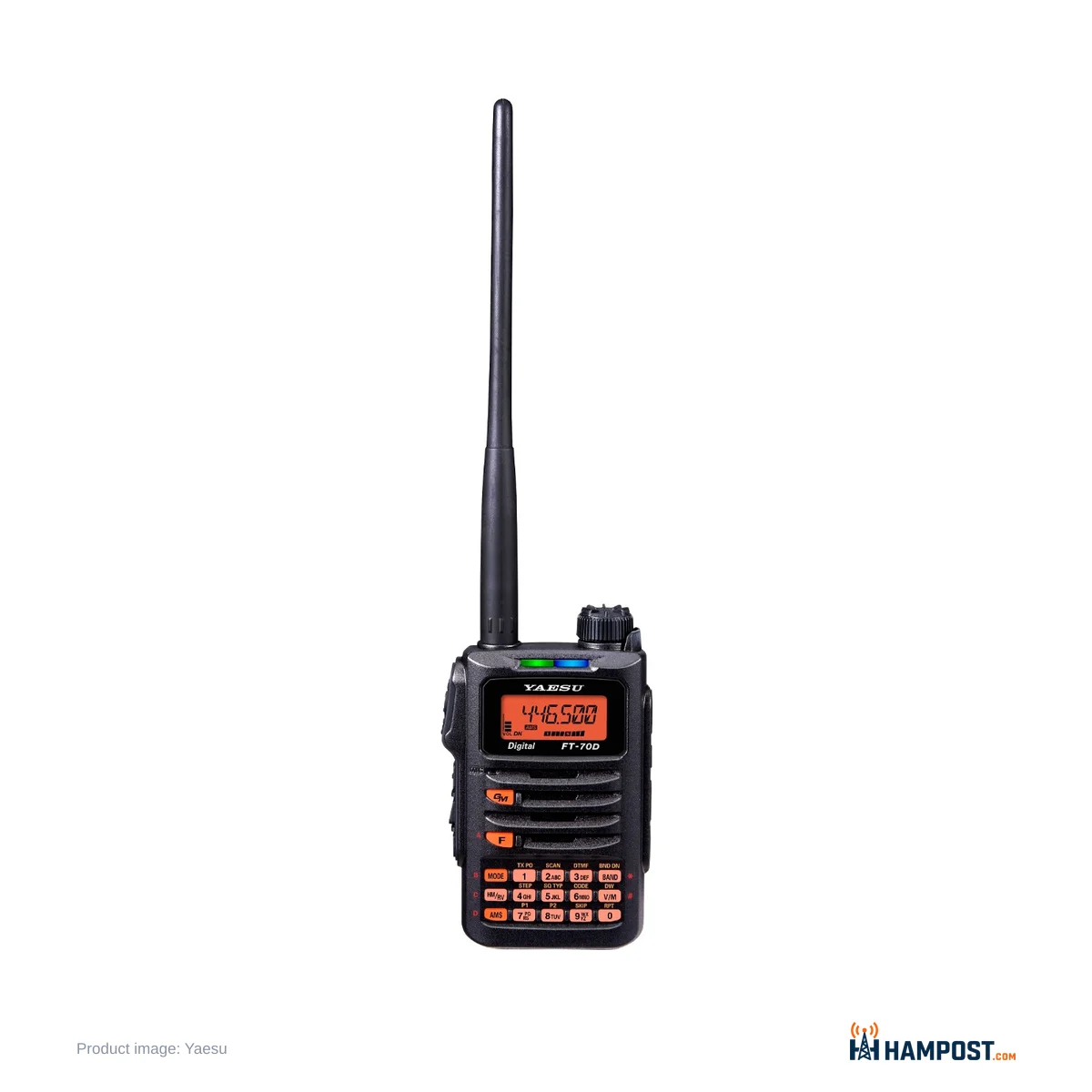
The FT-70DR is the cheapest way to get a Yaesu System Fusion handheld, and the battery decides what living with it is like. The radio itself is easy to like. It is small, it is tough, it programs from the keypad without a fight, and C4FM sounds clean through it. The 1,800 mAh pack is what you plan your day around.
Leave Automatic Mode Select on, carry a spare battery, and the FT-70DR becomes a dependable everyday Fusion radio. Expect it to work like a full-featured digital handheld and you will be disappointed. It has one receiver, no GPS, no APRS and no Bluetooth. For many operators that is fine. If what you need is a C4FM repeater on your belt at a street price around $195 to $225, it does that job well.
C4FM without the homework
AMS is the reason this radio exists. It listens to each transmission and switches between analog FM and C4FM digital on its own, and the multi-colour LED on the front shows which mode you are in at a glance. On a mixed-mode repeater you program the channel once and stop thinking about modes. Digital audio is clean, and getting on a Fusion repeater for the first time is simple.
DG-ID and DP-ID are both there, with group numbers from 00 to 99, so the radio works with DR-2X repeaters that use DG-ID access. If you are still weighing up the digital modes, start with our comparison of D-STAR, System Fusion and DMR. The FT-70DR speaks C4FM and analog FM only.
WIRES-X works through a local node: press F, then AMS, and pick a node or room. Early radios could not do this from the front panel. A firmware update added it, so check the version under Set Mode 59 (VER.INF) and update from the Yaesu site if your radio is old stock. The WIRES-X support is basic. There is no dedicated DX key, so plan on entering node or room numbers.
A hotspot companion as much as a repeater radio
If there is no Fusion repeater near you, the FT-70DR pairs well with a personal hotspot. It is simple to set up on YSF reflectors, and at low or mid power on a hotspot a battery lasts far longer than it does hitting a distant repeater on 5 W. That makes it a good shack or desk radio. Our Pi-Star hotspot build guide covers the hotspot side.
One thing to know before you try: Yaesu points out that off-brand hotspots connect to YSF or FCS reflectors, not the WIRES-X network itself. The WIRES-X key will not work through them, and you cannot save WIRES-X rooms that way. Use the hotspot's own reflector selection instead.
Receive, transmit and the 700 mW speaker
The receiver is a double-conversion superhet covering 108 to 580 MHz, with AM on the airband. It is sensitive, and airband listening is a real reason to carry it. Yaesu rates it at 0.16 µV for 12 dB SINAD on 2 m and 0.19 µV for 1% BER in digital mode. The weather alert scan on the US version is a nice extra.
Transmit is 5 W, 2 W or 0.5 W. Audio reports on both FM and C4FM are good with the default settings. The one tweak I would make is mic gain (Set Mode 31, MCGAIN). The level that sounds right on FM is not always right on C4FM, so ask for a report in each mode and adjust.
The front-firing speaker is rated at 700 mW, and it sounds fuller than the FT2D and FT3D, with more low end and less tinny harshness. It is loud and clear in a room or a car. Opinion splits in noisy places. Some operators find it runs out of headroom at a busy event or near traffic, and a speaker mic is the cure there.
Battery life: the real trade-off
Here is where opinions divide most, and the split is not even. A large majority finds the SBR-24LI runtime short. A smaller group, mostly operators who listen more than they talk, gets a full day out of it without complaint. Both are right, because the 7.4 V, 1,800 mAh pack has little margin. Yaesu quotes about 8 hours on 2 m and about 7 hours on 70 cm on its standard duty cycle, with 120 mA standby current with the saver off and 70 mA at a 1:5 save ratio. Transmit draws 1.6 A on 2 m and 1.9 A on 70 cm.
Three things stretch it. Set RX SAVE (Set Mode 48) to a longer interval, around 0.5 to 1 second. Turn DIMMER (Set Mode 14) down and shorten LAMP (Set Mode 28). Use low or mid power when the repeater does not need 5 W. A spare SBR-24LI is the most useful accessory you can buy with the radio, because Yaesu offers no higher-capacity pack and no AA battery case.
The radio also drains its battery while switched off. Yaesu lists about 400 µA in the off state, and its own advice is to remove the battery for storage. A radio left in a drawer for a few weeks comes back flat. I would pull the pack whenever the radio is going to sit.
The battery icon is pessimistic, too. It shows low while there is still useful charge. Set Mode 12 (DC VLT) shows the real voltage, and setting the opening message to DC (Set Mode 36, OPN.MSG) shows it every time you switch on.
Charging is slow out of the box
The supplied wall charger plugs into the EXT DC IN jack and takes about 6 hours to fill the pack, by Yaesu's own figure. The optional SBH-28 rapid charger cradle is much faster and saves you opening the rubber cap on the side every night. If the FT-70DR is going to be a daily radio, I would budget for the SBH-28 alongside the second battery.
Programming: easy on the keypad, awkward on the PC
Front-panel programming is a strength. Entering a repeater with offset, tone and a name takes a minute once you have done a couple, and many operators never bother with a computer for local channels. The keypad has the common functions printed on it (CODE, RPT, SQ TYP, STEP), which helps. There are 900 memory channels, banks, 6 home channels and 50 PMS pairs.
The printed manual covers the basics only. Download Yaesu's Advance Manual for memory banks, tone settings and the detail behind each Set Mode item. Our guide to how repeaters work explains offsets and tones if those are new.
PC programming is where the FT-70DR earns its bad marks. Getting the radio into clone mode means a sequence of removing and reseating the battery or power while holding a key, and timing it with the software. It works, but the first attempt rarely does. CHIRP supports the radio, with the same entry routine. The RT Systems software and cable make the process noticeably smoother if you plan to manage a lot of channels and banks. The mini-USB port on the side is for firmware updates.
Volume, display and other daily friction
There is no volume knob. You hold the VOL switch on the side and turn the dial. More operators dislike this than like it, because it takes two hands and is slow when a loud signal arrives. The other camp likes that the volume can never change by accident on a belt. I find the first argument stronger, though it does become habit.
The display is a segment LCD, bright and easy to read, but limited. Memory names are limited to 6 characters, and Set Mode 35 switches the display between the name and the frequency. Dual receive (DW) is a priority-channel check about every 5 seconds, not a second receiver. If you want to watch two frequencies at once, this is the wrong radio.
The body is 60 × 98 × 33 mm and 255 g with the battery and antenna, IP54 rated with the jack covers closed, and built to MIL-STD 810 C, D and E. Most hands find it solid and well sized. A minority calls it plasticky next to older Yaesu handhelds.
The stock antenna splits opinion. Some replace it with a longer aftermarket whip and hear a clear difference, while others find the stock one adequate for local repeaters. If your repeater is marginal, a better whip on the SMA connector is the cheapest upgrade there is.
How it compares
RadioWhy you'd pick it Yaesu FT-70DRCheapest C4FM handheld from Yaesu, AMS, 700 mW speaker, IP54 Yaesu FT5DRDual receive, GPS and APRS on Fusion for a lot more money (FT5DR review) Yaesu FT-60RAnalog FM only, but an AA battery case option and wider receive (our FT-60R verdict) Yaesu FT-65RSimple analog FM handheld with a 1 W speaker and IP54 (FT-65R review) Baofeng UV-5RLowest-cost way onto 2 m and 70 cm FM, no digital (Baofeng UV-5R review)For more options across price ranges, see our handheld buyer's guide.
Setting one up the way I would
- Download the Advance Manual before you start.
- Check the firmware version (Set Mode 59) and update if WIRES-X is missing from F + AMS.
- Program local repeaters from the keypad, or buy the RT Systems package if you have dozens of channels.
- Leave AMS on so each channel follows the station you hear.
- Set RX SAVE (48) to about 0.5 to 1 second, DIMMER (14) low and LAMP (28) short.
- Set OPN.MSG (36) to DC so you see battery voltage at power-on.
- Check mic gain (31) with a report on FM and on C4FM.
- Buy a second SBR-24LI and, for daily use, the SBH-28 cradle.
- Remove the battery whenever the radio will sit unused.
Who should buy it
- Operators with a Fusion repeater nearby who want C4FM without a big outlay.
- Hotspot users who want a small, simple radio for YSF reflectors at home.
- FT-60R owners who like keypad programming and want digital as well.
- Anyone who wants a tough, compact everyday handheld and will carry a spare battery.
Skip it if your area runs DMR or D-STAR, if you need dual receive, GPS or APRS, or if long battery life on a single pack matters more than digital voice. In those cases the FT-60R or a higher-end Fusion handheld fits better.
Bottom line
The FT-70DR makes System Fusion easy and affordable, with AMS that just works, a sensitive receiver and a speaker that sounds better than its bigger siblings. The small battery, slow stock charger, two-handed volume and fiddly PC programming hold it back, so buy a spare pack with it and it becomes a very good everyday C4FM radio.
Reader field notes — share yours
Log in to share your field notes and photos.