
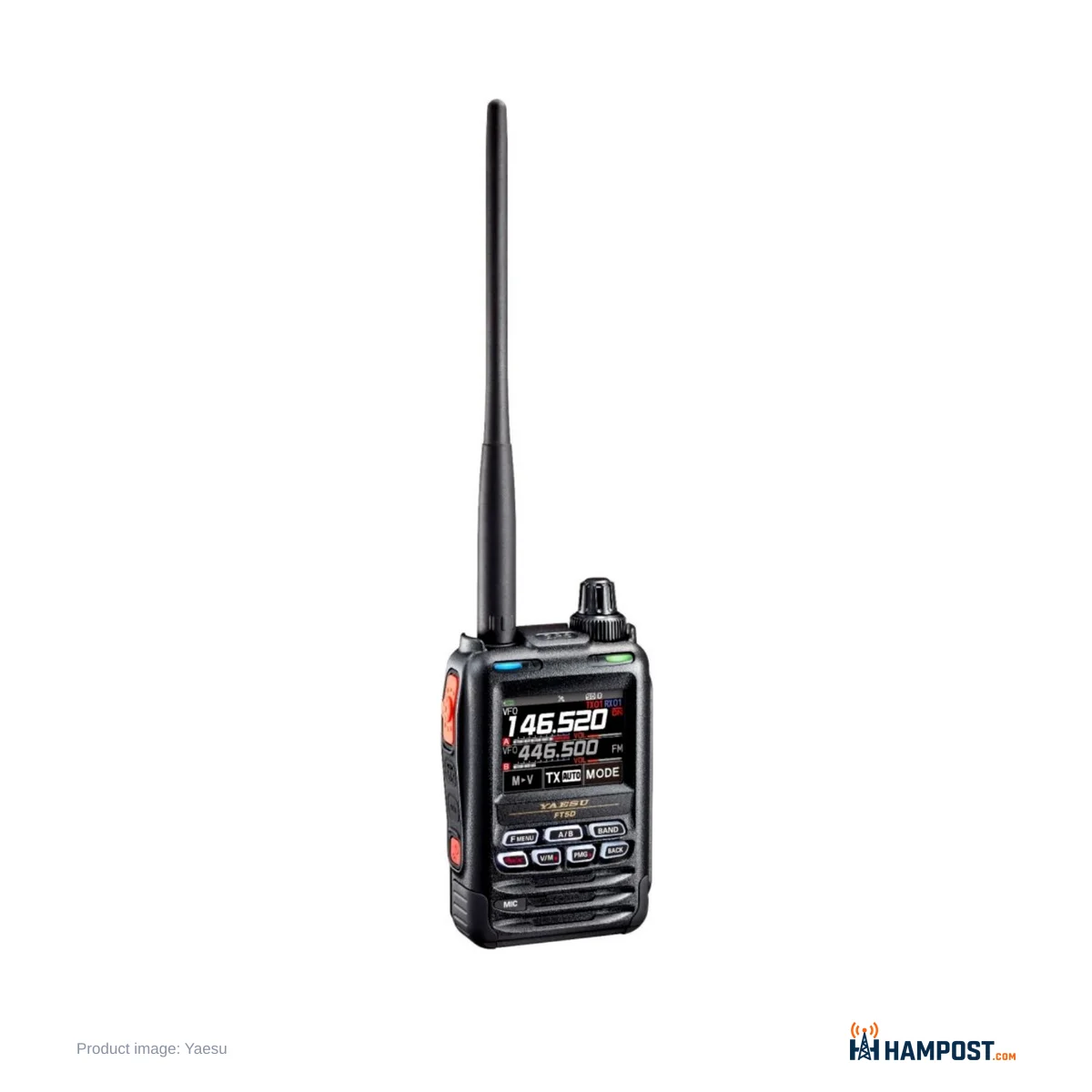
The FT5DR is at its best when you leave both receivers running. Put a C4FM repeater on the A band and a simplex or airband frequency on the B band, let AMS sort out digital from analog, and this small radio covers most of what a dual-band handheld can do. The Fusion side is the easiest digital voice I know of to get working. You program a repeater, key up, and the radio works out the mode for you.
The rest of the package is a mix. GPS and APRS are built in and simple to set up. Bluetooth is not good. Charging is slow and uses a barrel jack, not USB. The supplied USB cable will not program the radio. Some cases have also developed a hairline crack beside the PTT. None of that stops me recommending it to a Fusion operator, but you should know about it before you pay a street price around $385 to $485.
Fusion and WIRES-X with almost no setup
This is the reason to buy the radio. Automatic Mode Select listens to each transmission and switches between FM and C4FM, so a mixed-mode repeater just works. DG-ID is there for repeaters that use it, and the FT5DR can monitor C4FM on both bands at once. Digital audio comes through clean, and WIRES-X rooms are easy to reach through a linked repeater.
The radio can also act as a portable WIRES-X digital node with a laptop and Yaesu's optional SCU-39 cable kit. With no Fusion repeater nearby, the usual alternative is a hotspot, and our Pi-Star hotspot build for Fusion, DMR and D-STAR covers that route. If you are still deciding which digital mode to commit to, read the comparison of D-STAR, System Fusion and DMR first. The FT5DR does C4FM and analog FM only.
One setting is worth knowing early. Set Mode [TX/RX] > [DIGITAL] > [5 AUDIO PITCH] offers FLAT, HIGH BOOST and LOW BOOST for received C4FM audio. The best choice depends on the station you are hearing, so try all three before you decide the digital audio is thin.
Receive, transmit and that loud speaker
Yaesu specifies 0.16 µV for 12 dB SINAD at 140-150 MHz and 0.18 µV at 400-470 MHz, and on 2 m and 70 cm the receiver feels sensitive. It hears weak repeaters well. Not everyone agrees. A minority of operators find it ordinary, and some single out UHF. My view is that it is a good receiver for a handheld, not a remarkable one, and the antenna matters more than the receiver.
The A band covers 520 kHz to 999.995 MHz (US cellular blocked) and the B band 108 to 579.995 MHz. That is wide, and the second receiver is genuinely useful. Watching a local repeater on one side and airband or a simplex frequency on the other is the way I would set it up. Treat broadcast and shortwave reception as a bonus rather than a reason to buy.
Output is 5 W, with 2.5 W, 1 W and 0.3 W steps. Transmit audio gets good reports on FM and C4FM with the default settings, so I would leave mic gain alone until someone tells you otherwise.
Yaesu rates the internal speaker at 1 W, and it is louder than the speakers on the FT3D and FT2D. On that, operators agree. On how it sounds, they do not. One group finds it thin and a little harsh, especially at high volume. Another group, about as large, finds it perfectly clear. My view: it is loud enough for any situation, and if it sounds harsh to you, a speaker mic or an earpiece fixes it.
Battery and charging
The supplied SBR-14LI is a 7.2 V, 2,200 mAh pack. Yaesu lists about 110 mA in single-band standby and 145 mA with dual receive, plus 15 mA for GPS. How long it lasts depends on what you switch on. With one band, a few contacts and GPS off, it runs a long day without trouble. With GPS, APRS beaconing and dual receive running, it drains fast, and a second battery is worth buying with the radio. The receive saver (SAVE RX in the Set Mode) and a shorter LAMP time stretch it further.
Charging is the weak point. The SAD-25 wall adapter plugs into the EXT DC IN jack at 10.5 V, and Yaesu quotes about 9 hours for a full charge. There is no drop-in charger in the box and the USB port does not charge the radio. The good news is that FT2D and FT3D batteries, chargers and many accessories fit, so an existing Yaesu owner may already have spares.
Programming: skip the cable in the box
The USB cable in the box is for firmware updates, not programming. Plug it into a PC and ADMS-14 will not see the radio. Two routes work. The easy one is the microSD card: copy the radio's data to the card, edit it with Yaesu's free ADMS-14 software on the PC, and load it back. The other is a dedicated programming cable, either Yaesu's own or one bundled with commercial software.
Front-panel programming is also easy. Entering repeaters by hand is quick once you have done a few, and many operators never bother with a PC for local channels. There are 1,256 memory channels, memory banks, 16-character tags and Memory Auto Grouping, which pulls memories into bands so you can scroll only 2 m or only 70 cm.
The menus are another matter. Operators split here too. Some find the touch keys and Set Mode tidy and logical. Others find them deep, and the printed manual covers only the basics. The APRS, GM and WIRES-X instructions are separate PDF manuals, and I would download them on the first day.
APRS and GPS that a beginner can get working
The 66-channel GPS gets a fix quickly, and APRS beaconing is simple to set up. Enter a callsign in the APRS menu (item 23, CALLSIGN), pick a symbol, choose GPS as your position, and you are on the map. The radio runs APRS at 1200 or 9600 bps on the B band. If APRS is new to you, start with our beginner's guide to APRS tracking and messaging.
What it does not have is a KISS TNC or a digipeater you can reach from a computer or phone. Packet and Winlink mean an external sound-card interface on the mic and speaker jack. If AX.25 packet in 2026 is part of your plans, a radio with a built-in TNC saves the extra box.
What goes wrong
Bluetooth is the most common complaint. The radio has Bluetooth 4.2 for a headset, and that is all it does. Many headsets will not pair, and the ones that do often bring hiss or short range. If hands-free matters, test the headset with the radio before you rely on it, or use a wired accessory.
The case is the second. A hairline crack can develop beside the PTT on the battery side. It does not happen to every radio. I could not confirm a cause or a fixed production run, so check that area when the radio arrives and again after a few months, while the warranty still covers it.
Smaller annoyances add up. During a scan the display shows MEM SCAN or VFO SCAN instead of the frequency being passed, which I find irritating. There is no clock on the main screen. The stock antenna is the weakest part of the radio, and a better aftermarket whip makes a clear difference. On the plus side, the screen is bright and readable, the body feels solid in the hand, and the radio is rated IPX7 with the jack covers closed.
Upgrading from an FT3D
The FT5DR is a small step from the FT3D, not a new generation. You get the louder speaker and the PMG activity monitor. Batteries and most accessories carry over. If you own a working FT3D, I would not replace it. If you are buying your first Fusion handheld, it is the one to get.
How it compares
RadioWhy you'd pick it Yaesu FT5DRC4FM with AMS, dual receive, GPS and simple APRS in a small IPX7 body Kenwood TH-D75D-STAR instead of C4FM, a KISS TNC and digipeater, and 1.25 m (TH-D75 review) AnyTone AT-D878UVII PlusDMR with APRS and GPS at a much lower cost (AT-D878UVII Plus review) Yaesu FT-60RAnalog FM only, but simple, tough and long-lived (our FT-60R verdict) Yaesu FT-65RBasic FM handheld at a fraction of the price (FT-65R review)For a wider look at what else is worth carrying, see our handheld buyer's guide.
Setting one up the way I would
- Download the separate APRS, GM and WIRES-X PDF manuals before you start.
- Program repeaters from the front panel or through a microSD card and ADMS-14. Do not waste time on the supplied USB cable.
- Leave AMS on so the radio follows each repeater's mode.
- Try the three C4FM AUDIO PITCH settings on a local digital repeater.
- Put a repeater on A and a second interest on B, and use dual receive.
- Replace the stock antenna with a better whip.
- Buy a second SBR-14LI or reuse FT2D/FT3D packs, and turn GPS off when you do not need it.
- Enter your APRS callsign and set GPS as your position before your first beacon.
- Inspect the case beside the PTT after the first few weeks.
Who should buy it
- Operators with System Fusion repeaters nearby who want the simplest way onto C4FM and WIRES-X.
- Anyone who wants GPS and APRS in a handheld without a long setup.
- Owners of FT2D or FT3D accessories looking for a current model that uses them.
- Listeners who will use the second receiver for airband, weather or simplex.
Skip it if your area runs D-STAR or DMR, if you need a built-in TNC for packet or Winlink, if you rely on a Bluetooth headset, or if you already own a working FT3D.
Bottom line
The FT5DR is the easiest way onto System Fusion in a handheld, with a useful second receiver and APRS that just works. Slow barrel-jack charging, poor Bluetooth, an unhelpful USB cable and some cracked cases keep it from greatness, but for a C4FM operator it is still the handheld to buy.
Reader field notes — share yours
Log in to share your field notes and photos.