
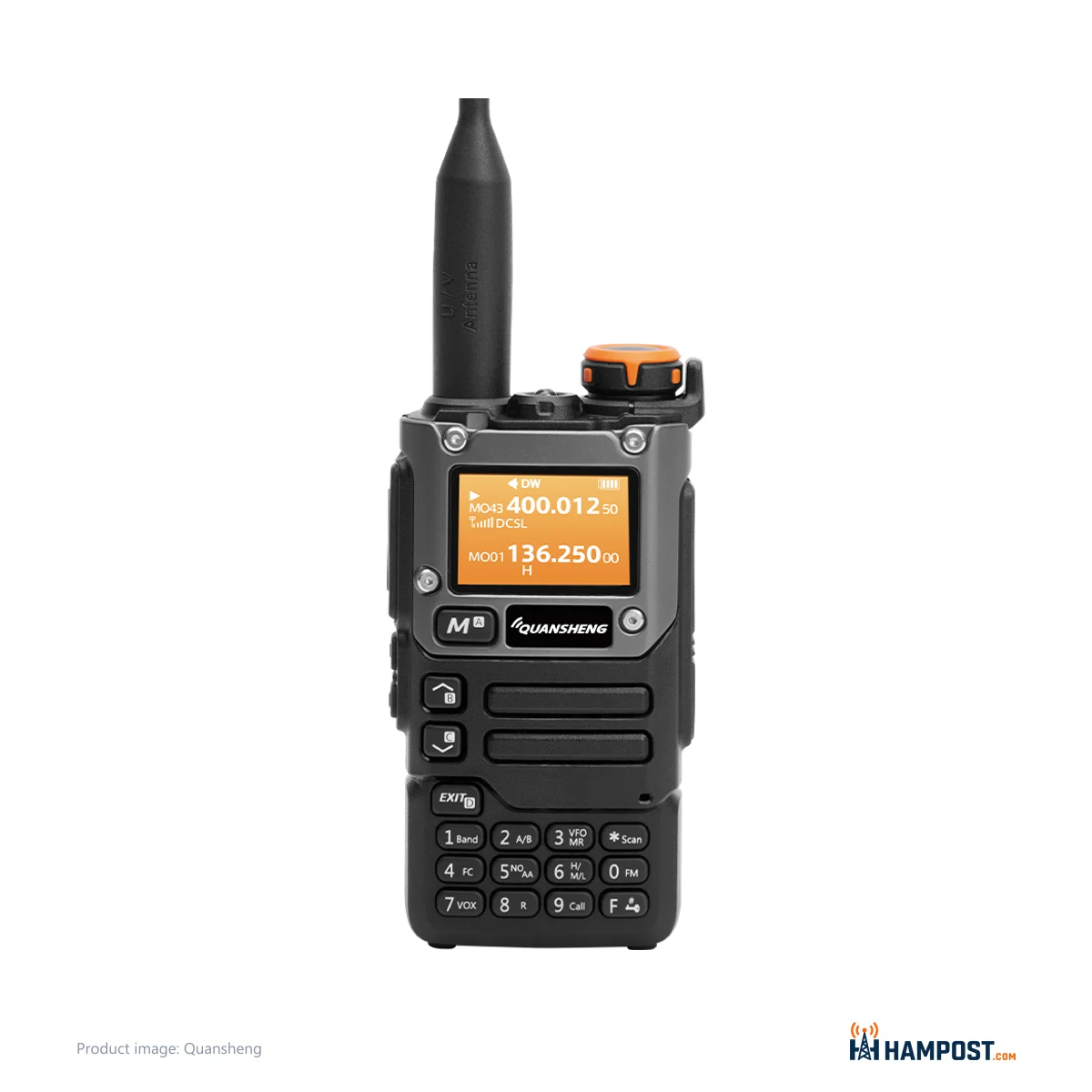
Stock, the UV-K5(8) is a five-watt 2 m and 70 cm handheld with a decent screen and a menu that takes some learning. Flash it with custom firmware and the same little box draws a spectrum scope, copies SSB, shows battery percentage and listens across most of 18 to 1300 MHz. That second radio is why mine stays on the bench.
Street price around $18 to $36, depending on where and when you buy. At that money I stopped treating it as precious and started treating it as a project, and that is the right frame for it.
It is also a radio that will let you do things you are not allowed to do. More on that below, because it matters more than any menu setting.
Two radios in one case
On stock firmware it does the ordinary handheld jobs: dual watch, scan, FM broadcast, airband receive and up to 200 memories. The case is about 115 x 60 x 37.5 mm and 234 g, so it rides in a jacket pocket without complaint. Mine feels as solid as any Baofeng I have handled, and the display is larger and easier to read than a UV-5R. Older eyes will appreciate it.
It is not a high-quality HT in the Japanese sense, and if that is your yardstick you will find the plastics and switches ordinary. I think it is put together fine for what it is. Receive and transmit audio from mine is clean and loud, clearly better than a UV-5R.
The keypad layout is not a Baofeng layout. Menu names are cryptic, and the printed manual leaves gaps. Give it an evening with the radio in one hand and you will be fine. I do like the monitor key working as a toggle instead of a hold.
Flashing it, and knowing which board you have
The reason to buy this radio is the custom firmware. egzumer and F4HWN are the builds I see most, and they add wider receive, the AM fix, SSB receive, a spectrum scope, a battery percentage readout and extra squelch options. Flashing runs from a Chromium-based browser with the same 2-pin K-type cable you use for programming. It is easy. It is also the step where people get hurt.
Hardware revisions are the trap. Earlier units use an STM32F030 microcontroller and show a bootloader of 1.00.xx or lower. Newer K5 and K6 units can ship with a Puya PY32F030 and bootloader 1.01.01. Firmware built for the older chip may brick the newer one, and older flashing tools cannot flash it at all. I can't tell you which builds support the new chip, so read the bootloader version on the display before you flash and pick a build that states support for it.
Back up the EEPROM first, with k5prog or the web tool. That backup holds your calibration. Keep the cable seated firmly during the flash, because a loose plug mid-write is how a cheap radio turns into a paperweight.
One more caution on model names. The UV-K5, UV-K5(8) and UV-K6 share a platform, and the obvious differences are case and battery. In my use the K5 and K5(8) perform about the same, but I would not bet a firmware choice on the label alone. Check the bootloader.
Receive: wide, cheap and easy to overload
With custom firmware the receive range opens up to roughly 18 to 1300 MHz, with a hole near 630-754 MHz. Measured on the bench, it holds 12 dB SINAD sensitivity across that span. From 60 to 400 MHz the sensitivity is about 0.15-0.2 uV for 12 dB SINAD, which is respectable. By 900 MHz it falls to around 12 uV, which is not.
Out of band, it hears things. It is not a sensitive scanner, and I would not pretend otherwise. Performance overall is nothing special. It is good enough to be fun.
The weak spot is the front end. There is no real front-end filtering, so a strong transmitter nearby swamps it. Near a busy tower site it falls apart, and a better-shielded handheld will keep hearing when this one goes deaf.
Airband is where operators disagree most. One camp says AM receive is poor and swamped by AGC problems, even after a firmware change, and hard to copy near an airport. The other camp says that once the AM-fix firmware is loaded it is acceptable to good, with a bench figure around -113 dBm at 128.5 MHz, and that it picks up general aviation traffic fine.
My take: stock firmware airband is weak, and the AM fix is the cure. Check one silly thing first, too. If airband sounds garbled, the radio may be in FM mode. The AM menu sets AM (Menu 48 on older firmware, 49 in the current manual).
Transmit on 2 m and 70 cm, and nowhere else
The PA output filtering is designed for 2 m and 70 cm, and on those bands mine looks clean enough on a spectrum analyzer, with second and third harmonics better than 40 dB down. That is acceptable, not impressive. For a 5 W radio, 40 dB is marginal against Part 97 expectations, so I treat it as a fine in-band transmitter and nothing more.
Outside those two bands it gets ugly fast. Firmware can unlock transmit elsewhere, but the filters do not follow. Off 2 m and 70 cm the harmonics can come out stronger than the fundamental, and they land wherever the multiplication puts them, government and emergency bands included. Enabling 6 m or 4 m transmit just buys you spurious signals.
So here is my position, plainly. Unlocking transmit in firmware does not make that transmit legal. You, the operator, remain responsible for Part 97 compliance, and transmitting on frequencies you are not licensed for, or with equipment that is not certified for that service, is illegal no matter what the firmware allows. That includes CB. Leave out-of-band transmit locked.
One more transmit note. Put a new radio on a power meter and a dummy load before you rely on it, so you know what high power really makes. If your audio is quiet on the other end, raise mic gain in the menu.
Battery and the USB-C question
Battery life on mine has been good enough to impress me. Run yours down once on a normal day of listening and you will know your own number better than any spec line.
Charging is where operators disagree. The radio has a USB-C port, and one camp charges through it every day with no trouble. I do. The other side points to the manual, which treats USB-C as emergency charging and the desk charger as the normal route, and to radios that won't fully charge over USB-C. If you want zero argument, use the desk charger. If USB-C works on yours, it works.
Programming with CHIRP
CHIRP handles it, using a Baofeng-style 2-pin K-type cable. The maker's own software works too, though much of it is in Chinese. I program memories in CHIRP and leave the factory tool alone. Front-panel programming is possible once you learn the menu numbers, but for a full channel list the computer is faster.
Getting one set up
- Read the bootloader version on the display and note it before anything else.
- Back up the EEPROM with k5prog or the web tool.
- Flash a firmware build that matches your hardware, using a Chromium-based browser and a firmly seated cable.
- If you want airband, use an AM-fix build such as egzumer or F4HWN, and set AM mode in menu 48.
- Replace the stock antenna. A Nagoya NA-771 or NA-775 made a bigger difference to receive than any setting.
- Raise mic gain if transmit audio is quiet.
- Use the desk charger as the main charger.
How it stacks up
| Radio | Why you'd pick it |
|---|---|
| Quansheng UV-K5(8) | Custom firmware, wide receive, larger screen |
| Baofeng UV-5R | Same price class with simpler menus, if you never plan to flash anything |
| Radtel RT-590 | A UV-K5 clone with a wider transmit range |
| Quansheng UV-K6 | Same platform in a different case and battery, if that suits you better |
What goes wrong, and how long it lasts
The failure list is short and predictable. Front-end overload near strong signals. Weak stock airband. A wrong firmware build on a new-chip radio. Out-of-band transmit that throws harmonics. The stock antenna is poor, and it was the first thing I replaced.
Long term is the honest gap. This radio is still new, and I can't vouch for how it holds up past a year. If you need a settled radio with years of track record, this is not it yet. If you want a cheap radio to learn on and modify, that gap matters a lot less.
Who should buy it
- Experimenters who want to flash custom firmware and see what a cheap radio can do.
- Listeners who want cheap wide-band receive: FM broadcast, VHF and UHF, and SSB with firmware.
- Anyone who needs a backup or test 2 m and 70 cm handheld that they won't mourn.
Skip it if you want to transmit outside 2 m and 70 cm, if you want airband near a busy airport on stock firmware, or if you want a supported radio with long-term reliability data behind it.
Bottom line
The Quansheng UV-K5(8) is an ordinary cheap handheld until you flash it, and then it becomes the most fun receiver you can buy for the price of lunch. Check your bootloader before you flash, fit a better antenna, and keep transmit on 2 m and 70 cm, because the firmware will let you break rules the filters were never built for.
Reader field notes — share yours
Log in to share your field notes and photos.